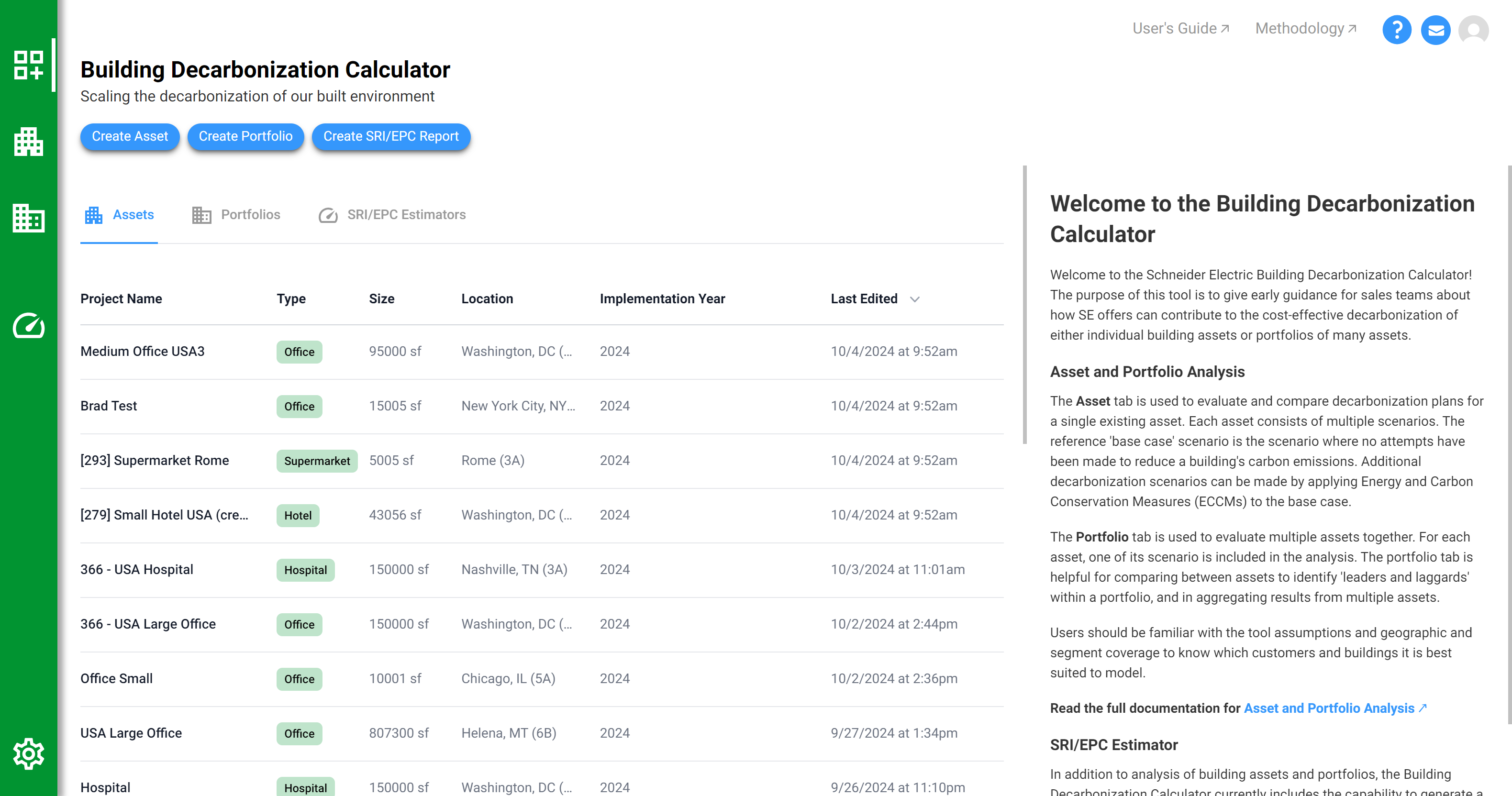
In the Building Decarbonization Calculator, you will create one or more building assets using a simple description of the building.
For each of those assets, there are multiple scenarios. Each scenario describes how the implementation of a set of Energy and Carbon Conservation Measures (ECCMs) affect the cost, carbon, and energy use of that building over time. A number of scenarios are generated automatically for each asset. You can also create additional scenarios with custom combinations of ECCMs.
A PDF describing the asset and all its scenarios can be downloaded or viewed online using a sharable "secret link." Use this to communicate results to clients, team members, and other project stakeholders.
Multiple assets can be analyzed together as a portfolio. The portfolio views helps to identify which assets will have the largest potential for cost, carbon, and energy savings.
Overview of the Building Decarbonization Calculator interface.
The Left Navigation Bar allows easy access to all parts of the app. The following describe the icons in the left navigation bar, from top to bottom:
The circled question mark in the upper right-hand corner of the screen will bring you to this site and all documentation related to the tool.
The "head and shoulders" icon in the upper right-hand corner of the screen will allow you to edit your user profile, reset your password, and delete your account.
The envelope button in the lower right-hand corner will direct an email to [email protected] - please share feedback on the application and its use to this address.
Previous
Next